


Hulu: Stream TV shows & movies
4.5230.00K Reviews
App Specs
- Version
- 6.31.0+17377884-google
- Updated On
- License
- Free
- Downloads
- 100,000,000+
- Developer
- Disney
- Categories
- Entertainment
- Platform
- Android, iOS
Screenshots


 Analysis by AppCompare
I find Hulu most useful when I want one place to keep up with television and settle in with a film, rather than when I expect a single service to replace every kind of entertainment. The app brings a familiar mix of series, movies, and live sports into a mobile viewing experience, and that combination can make it an easy part of a daily routine. Its reach is substantial, but the real question is whether its particular blend matches what you watch and how you like to watch it.
Hulu is a free entertainment app from Disney, though access to viewing depends on having an appropriate subscription. It is rated Teen, so I would still check that its content suits younger viewers rather than treating the age label as a guide to every individual title. The app has an average rating of 4.4 from around 1.5 million ratings, and more than 100 million installs. Those figures suggest it has become a familiar option for many viewers, but they cannot tell you whether its library fits your tastes.
Where the app earns a place in a viewing routine
For me, Hulu’s appeal is less about opening it once and finding a perfect show immediately, and more about having a practical destination for several kinds of viewing. I might use it to continue a series after dinner, browse for a film when I have more time, or check the live-sports offering when a game is part of the evening plan. That range gives the app a useful role, especially for people who would otherwise jump between separate services for different moods.
The strongest reason to consider it is that TV series remain central to the experience, while films and live sports broaden the choice. The balance matters: if your routine is built around following shows as well as watching the occasional movie, Hulu is easier to justify than a service you open only for one narrow purpose. If you care about a specific show, though, I would search for that title before subscribing. A broad catalog is not the same as a guarantee that every program you want is available.
Finding something without turning browsing into the evening
A streaming catalog can become a chore when there is too much to scan and no clear plan. I find it helps to open Hulu with a simple intention: resume a series, look for a film, or check what live sports are available. Searching by title is more direct than wandering through recommendations when I already know what I want, while a saved list is more useful when I am collecting options for later. Separating those two habits keeps browsing from swallowing the time I meant to spend watching.
One practical workflow is to save interesting titles during a short break, then choose among them when I have a proper stretch of free time. That is a small change, but it avoids trying to remember a film I noticed days ago. It also makes shared viewing easier: people can add possibilities to their own lists instead of repeatedly starting a new search together. The app’s value in a household depends on whether those habits actually reduce friction, not just on how many titles are visible.
For a realistic weekday example, imagine getting home with only enough time for one episode before bed. I would go straight to the series I have been following instead of browsing the home screen, then leave movie discovery for the weekend. On a night when a live event is the priority, I would check its availability before arranging the evening around it. That last step is worth making a habit: live programming is more time-sensitive than an on-demand film, so confirming what is available is better than assuming the event will be there when you open the app.
Worth Reading Before You Choose

Flipboard Shows What News Apps Must Do Beyond the Feed

Switching to Android Auto Means Rethinking Your Driving Routine

Google Calendar Makes a Crowded Week Easier to Manage

Ludo King Makes the Most of the Minutes Between Plans

Baby Panda World Brings Quick Play to Modern Phones, but Its Game Library Feels Busy

ESPN’s Live Game View Makes Following Close Games Easier
How it fits beside other streaming choices
Compared with services focused mainly on on-demand films and series, Hulu’s inclusion of live sports gives it a different purpose. That may be a genuine advantage for a viewer who wants entertainment and sports in the same app, but it does not automatically make Hulu the best choice for someone whose only priority is a particular movie collection or an exclusive program elsewhere. A focused service may be simpler if you already know exactly what you want to watch and its catalog is the reason you subscribe.
It also is not a like-for-like replacement for traditional television in every household. The app can make live viewing part of a streaming routine, but whether that suits you depends on what channels or events matter to you and which plan provides them. I would compare the actual content you watch, rather than choosing solely because “live TV” sounds like a complete cable substitute. If you mainly watch on-demand series, the live component may not justify paying for a plan built around it.
There is a similar trade-off with free access. Downloading the app costs nothing, but that should not be confused with unlimited viewing at no cost. I would treat the app as the entry point and check the current subscription options before making a budget decision. The right plan depends on whether you mind ads, need live programming, or simply want access to on-demand entertainment; those preferences can matter more than the number of titles in a catalog.
Setting Up and Navigating Hulu
First things first, getting started with Hulu is a breeze. I downloaded the app from the Play Store, and within minutes, I was ready to explore. The sign-up process is straightforward, and if you’ve got a subscription already, just log in and you’re good to go. The interface is sleek, with a neat layout that makes finding content super easy. The search function is pretty robust too, so whether you’re looking for the latest episode of "The Handmaid’s Tale" or a classic movie, it’s just a tap away.
Content Galore
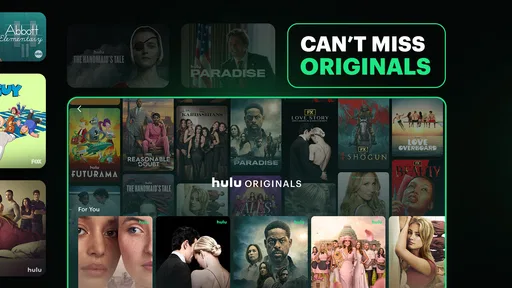
Now, let’s talk about the content. Hulu boasts a vast library of TV shows, movies, and even original content that you won’t find anywhere else. I was particularly impressed with their selection of current TV shows. New episodes of popular series are available the day after they air, which is a huge plus for someone like me who hates waiting. Plus, their collection of classic shows is a nostalgia trip worth taking.
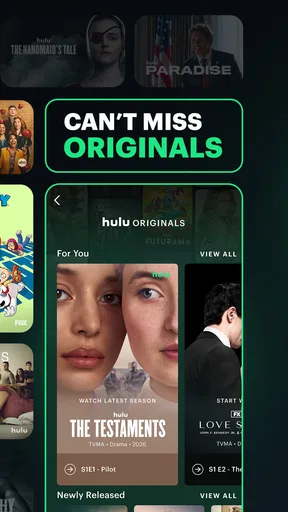
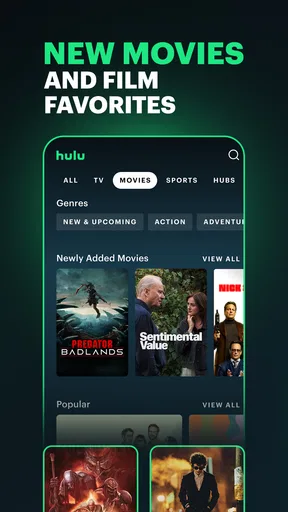
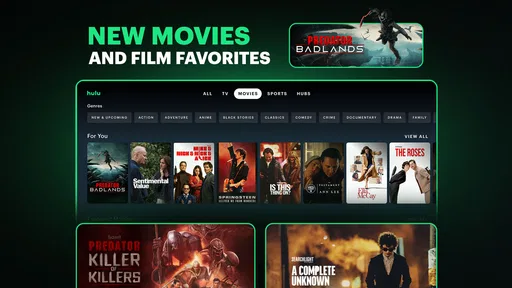
For movie buffs, Hulu offers a diverse range of films, from blockbusters to indie gems. The "Hulu Originals" section is also worth a mention. I stumbled upon "The Great" and "Little Fires Everywhere," and trust me, they’re binge-worthy!
User Experience and Features
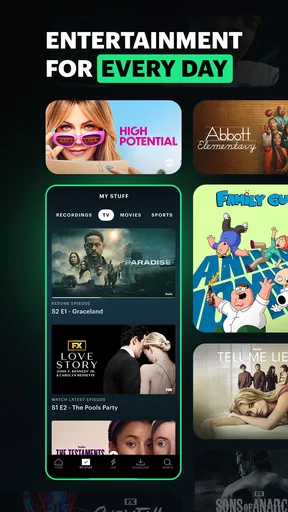
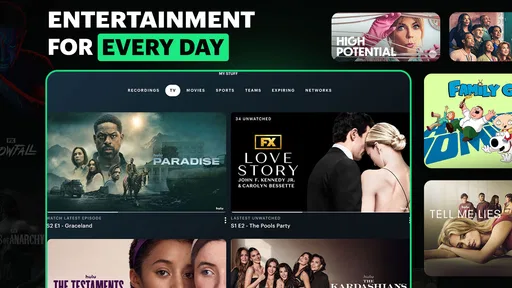
The app’s user experience is pretty stellar. I love how you can create multiple profiles, which is a lifesaver if you share your account with family or friends. Each profile can have its own watchlist, so everyone gets a personalized experience. The "My Stuff" section is where you can keep track of your favorite shows and movies, making it easy to pick up where you left off.
Hulu also offers features like offline downloads, which is perfect for those long commutes or flights. The video quality is top-notch, and you can adjust it based on your internet connection. I found the streaming to be smooth, with minimal buffering, even during peak hours.
Subscription Plans
Let’s talk money. Hulu offers several subscription plans to fit different budgets and needs. There’s the ad-supported plan, which is the most affordable, but if you’re like me and can’t stand interruptions, the ad-free plan is worth the extra bucks. There’s also the Hulu + Live TV option, which lets you stream live TV channels. It’s a bit pricier but a great choice if you want to cut the cable cord.
I appreciate that Hulu offers a free trial, so you can test the waters before committing. And if you’re a student, there’s even a discounted plan available!
Final Thoughts
All in all, Hulu: Stream TV shows & movies is a fantastic app for anyone who loves entertainment at their fingertips. With a rich library of content, user-friendly features, and flexible subscription plans, it’s hard not to fall in love with this app. Whether you’re catching up on the latest TV episodes or discovering new movies, Hulu has something for everyone.
So, why not give it a shot? Download the app, grab some popcorn, and dive into the world of endless entertainment. Trust me, you won’t be disappointed!
A few checks that make the experience smoother
Before settling in, I would check whether the title I want is available in my region and under the plan I intend to use. Streaming catalogs and plan details can change, so a quick search inside the app is more reliable than assuming a show mentioned in a conversation is still there. This is especially useful when choosing Hulu for a shared movie night: agree on a specific title first, then confirm it, rather than spending the evening comparing catalogs across apps.
If you expect to watch away from home, test the workflow before you depend on it. Offline viewing can be helpful for a commute or flight, but it is worth checking that the particular title offers a download option and saving it while you have a stable connection. I would also open the saved item before leaving, so I know it is ready on the device. Downloads are a convenience, not a reason to assume every program can be stored offline.
On a phone, I would be selective about when to stream over mobile data. A long episode or film can use a meaningful amount of data, so downloading eligible content over Wi-Fi is the safer routine when a connection is available. If I am watching live sports, I would favor a steady connection and avoid treating a brief signal drop as an app-specific failure; live streams are less forgiving than a saved episode because they cannot simply wait for the connection to return.
What sharing and viewing habits change
Profiles are most useful when people in the same household have very different tastes. Keeping individual watchlists helps prevent a family film choice from getting lost among one person’s series, and it can make recommendations feel less muddled. I would set up separate profiles early rather than waiting until viewing histories are mixed together. Still, profiles organize the experience; they do not by themselves settle questions about who can access an account or which subscription terms apply.
For a household deciding whether to keep Hulu, I would look at actual use over a normal week. If several people regularly watch its series, films, or live sports, the app may earn a consistent place in the rotation. If everyone opens it only once in a while for one specific title, another service that better matches the household’s main viewing habit may be a more sensible choice. The useful comparison is not simply which app has the biggest-looking menu, but which one gets opened for things you genuinely want to watch.
Hulu is also a less natural fit if your viewing is almost entirely live sports and you need particular events or channels. In that case, I would verify the exact coverage before relying on it, then compare it with a sports-focused option. The same principle applies to film fans who care about a narrow genre or a specific collection: search for the films that matter to you first. Hulu’s range is appealing, but range is not the same as depth in every niche.
Who I would recommend it to
I would recommend Hulu to people who want a mix of series, movies, and live sports and are comfortable choosing a subscription that fits their viewing needs. It is especially appealing if you tend to follow television while also wanting something different for a relaxed evening. Disney develops the app, which has been available since June 2011; its current Android release is version 6.20.0+14228901-google and requires Android 7.1 or later. The app itself is free to install, while watching depends on the service plan you choose.
I would be more cautious if you are trying to avoid recurring entertainment costs, dislike ads, or only want one show that might be available elsewhere. Before signing up, decide whether ad interruptions are acceptable and whether live programming is actually important to you. The Teen content rating is another reason for parents and caregivers to review individual programs with younger viewers rather than assuming the whole catalog has the same tone.
My verdict after weighing the trade-offs
What I like most is the practical mix: Hulu can serve the person who wants to keep up with series, choose a film, and sometimes watch live sports without treating each as a separate kind of app. What I would not do is subscribe just because the catalog sounds broad. Check for the titles and events you care about, consider how often you will use them, and choose based on your real routine rather than the promise of endless browsing.
For viewers whose habits line up with that mix, Hulu: Stream TV shows & movies is an easy app to recommend as a flexible entertainment option. Its 4.4 average and large audience make it a well-established choice, but my recommendation is ultimately more personal: install it if its programs match your evenings, and skip it if another service better serves the one thing you watch most. That simple check is the best way to decide whether Hulu belongs on your home screen.
Pros
- Extensive library of TV shows and movies.
- User-friendly interface with easy navigation.
- Offers live TV streaming options.
- Supports multiple devices and profiles.
- Includes original content and exclusives.
Cons
- Ads present even with paid subscription.
- Frequent buffering on slower connections.
- Limited offline download options.
- Geo-restricted content outside the US.
- Occasional UI glitches on mobile devices.
FAQs for Hulu: Stream TV shows & movies
What devices are compatible with Hulu?
Hulu is compatible with a wide range of devices, including smartphones, tablets, smart TVs, streaming sticks, and gaming consoles. You can use it on both Android and iOS devices, as well as platforms like Roku, Amazon Fire TV, and Apple TV. Make sure your device's software is up-to-date for the best experience.
How does Hulu’s subscription pricing work?
Hulu offers several subscription plans to suit different needs. The basic plan includes ads, while the premium plan is ad-free. There's also a Hulu + Live TV option for those who want to stream live television. Each plan has a different price point, so choose based on your viewing preferences and budget.
Can I download shows and movies for offline viewing?
Yes, Hulu allows offline viewing, but this feature is only available for subscribers to the ad-free plan. You can download shows and movies to your mobile device and watch them without an internet connection. This is perfect for traveling or when you’re in areas with limited connectivity.
Is there a free trial available for Hulu?
Hulu typically offers a free trial for new subscribers, allowing you to explore its features and content before committing to a subscription. The length of the trial can vary, but it generally lasts for one week. Make sure to cancel before the trial ends to avoid any charges if you decide not to continue.
What content is available on Hulu?
Hulu boasts a diverse library that includes current TV shows, classic series, movies, and exclusive Hulu Originals. From reality TV to documentaries and comedies, there's something for everyone. Content availability can vary by region, so check what’s accessible in your area before subscribing.


